HP support website for the software drivers
and ROM upgrades
DAVE'S
REVIEW CENTER
Read
my reviews here for the latest Ipaq accessories
HP h2215 iPAQ & Convergent
CF GSM/GPRS Card
By Dave's iPAQ
One
of my biggest gripes and the most hidden secrets I have been living
with was the fact that I have not been carrying around an iPAQ
for the past 6 months. Yes, I know my site name is Dave's iPAQ
and I am the iPAQ guy, dude, evangelist or whatever you want to
call me. But one of the reasons was the fact that none of the
iPAQ's had the capability to connect to the internet without Bluetooth
or via cables. I purchased the T68 phone in hopes that I will
use it with my 5450 but unfortunately who wants to carry all that
excess baggage? Not me! Well say no more. Convergent Technologies
has just gotten approved a CF GSM/GPRS card. When I received the
email my eyes could not believe it! I actually posted a news brief
on the company and also looked into contacting them directly.
After speaking to the founder, Dennis I learned alot about his
company and also learned that over 200+ of these have been sold
already! Many of you have always sent me emails requesting the
HP GSMGPRS PCMCIA
sleeve but as you know it still is not available in the US.
During this review I will go over ease of use, setup and also
speed tests.
The
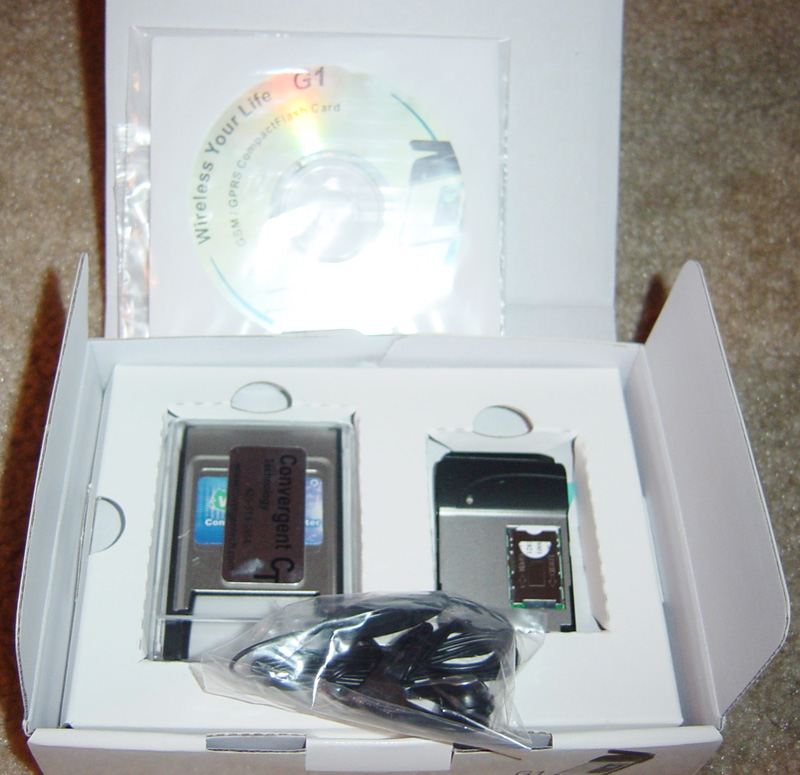
box contents consists of a PCMCIA adapter for a laptop also the
CF card with a headset to plug into for using the card as a phone.
The CD that is bundled with the card comes with IA Dialer and
also the setup instructions. I will go over step by step what
you need to do to configure this on PocketPC 2003, its really
a snap! When I received the card it was nicely filled with popcorn
to protect the inner box and also was packed within another box.
Convergent really does a nice job on the shipping! Please note
I was not able to get the IA Dialer to work with PocketPC 2003
but they are working on a fix. I therefore went to the Mercedes
Benz of dialers and purchased Running
Voice GSM by Pocket Presence. Wow how does this enhance the
experience.
The
overall design of the card just screams of pizzaz. Convergent
Technology really designed a sleek but small CF card that really
packs a one two punch. How does a company cram all that circuitry
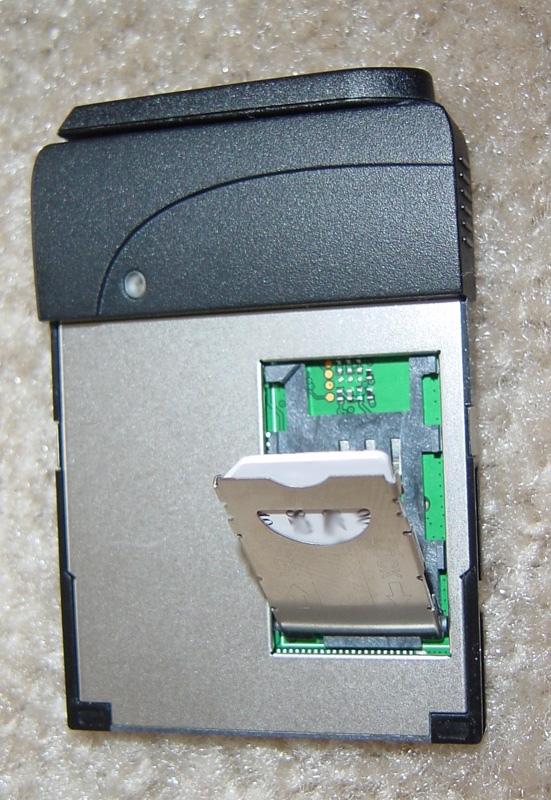
within this little CF card. You'll also notice (left) the door
that slides open for the sim card. Once I opened the sim door
I gently slid my sim inside the chamber and closed the door. The
cards also has a earpiece slot for the earphone to enable the
phone. Users need to note the slot for the earplug is the same
size as all Nokia phones. Some of you might have the Jabra
Bluetooth headset so be sure the model supports Nokia earplugs.
The top portion of the card is the actual antenna which swings
open from left to right. I never really needed to open the antenna
but possibly in some rural areas of coverage it might help. The
antenna sits snug and seems quite stable, so those who always
think small parts will break no need to worry. The card also has
2 side grips for inserting and pulling out the card. One complain
of CF cards was that they tend to be a little hard to pull out.
As
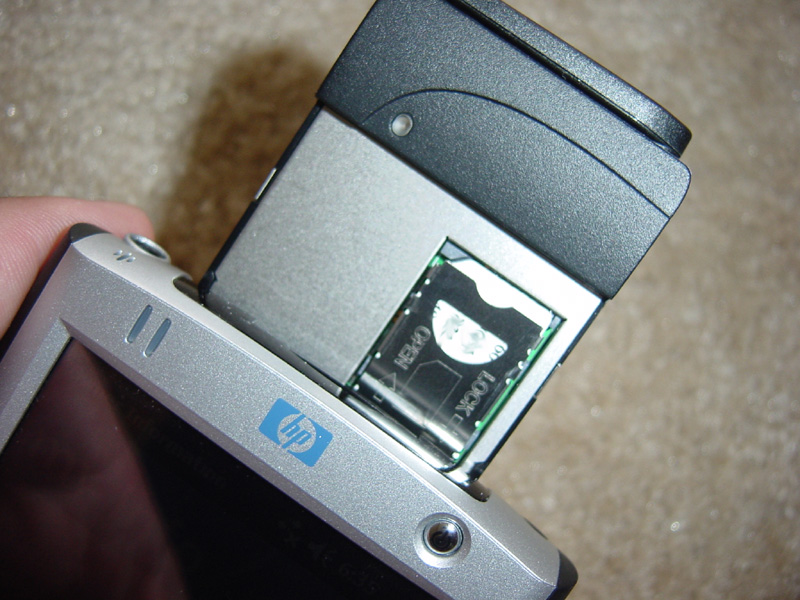
I inserted the CF card I notice the card fit perfectly inside
the slot of the h2215. Wow could this really be happening internet
and phone capabilities right on this small rugged h2215? Once
inserted I powered up the iPAQ and the unit went through its boot
screen. Mind you, at this point did not load one piece of software.
I thought let me see what PocketPC 2003 can do for this connection.
Heck, from what I am hearing that was the major upgrade for the
OS was connectivity. The unit powered up and I noticed a bright
orange light turn on and start to blink. I really wasn't sure
why it was blinking other than I thought it was trying to find
a signal.
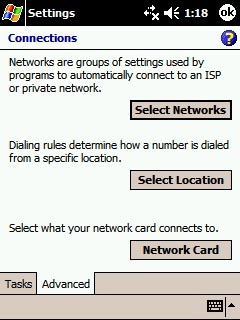
Once I went into the connections tab of PocketPC
2003 I selected Add a new modem connection. Once I selected that
I couldn't believe my eyes, GPRS Modem was on the list of pull
down items! Wow no more G, commands on my iPAQ, finally. I then
selected the baud rate of 57,600 and selected the settings tab.
Once you select the settings tab goto-general. Uncheck the Wait
for dial tone and type in the following Extra dial-string +CGDcont=1,,"internet2.voicestream.com"
if you are not using VPN. If you are using VPN dial-string +CGDcont=1,,"internet3.voicestream.com".
Thats all. Once I applied my settings I launched Internet Explorer
and I was surfing the internet.