
Dave's iPAQ & Mobile Electronics News

iPAQ hx2755 Pocket P...
iPAQ hx2755 Pocket P... - $499.95
624MHz Processor,185MB user memory,Bluetooth and 802.11b WLAN more »
    Home Hardware Shop Software Shop eBooks Forums News Reviews Advertise XML Feed
Login or register, it's free!
Recent Discussions
Activesync update
:eek: I just updated my Activesync to Activesync 3.8 and now my hp6315 wont sync . Any suggestions to what I need to do to make it work ?...
by charlimiboy, 3 hours ago
Recent Reviews
Recent News
iPAQ Bestsellers
iPAQ Expansion Options
Dave's Links

Is Your Internet Connection Too Slow?


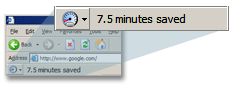
Google has an application that it says will speed up your broadband internet connection. They will be using methods such as page caching, pre-fetching of pages, and only updating a page if there have been changes.

The application only benefits broadband users and Google has indicated that there are some privacy concerns. They have setup a privacy page specific that explains what information is collected.

This beta version of the Google Web Accelerator works with Internet Explorer and Firefox on Windows XP and Windows 2000. You will most likely have to "tweak" some setting to get it to work with other browsers. If you download it, you can disable Google Web Accelerator at any time.

You can find out more on the Google Web Accelerator here.

You can download the Google Web Accelerator here.


Post your comments
>>Actually, all the caching is going on at >>Google's end

Uhm, since when is 127.0.0.1 on 'googles' end'??

But wait, the plot thickens... :P

Cory Doctorow writes:
"Google Accelerator wreaks havoc on Web-apps by "clicking every link" on every control screen in order to cache it -- so it also ends up clicking on "Delete my account" and "Launch pre-emptive nuclear strike," etc.

"The accelerator scours a page and prefetches the content behind each link. This gives the illusion of pages loading faster (since they've already been pre-loaded behind the scenes). Here's the problem: Google is essentially clicking every link on the page -- including links like "delete this" or "cancel that." And to make matters worse, Google ignores the Javascript confirmations. So, if you have a "Are you sure you want to delete this?" Javascript confirmation behind that "delete" link, Google ignores it and performs the action anyway...."
Actually, all the caching is going on at Google's end. If it were simply using your computers cache, it would be no different than what your browser does.
Privacy and surfing preferences are "given up", but the way I see it: each individual needs to choose if giving those up are worth getting something in return. Namely: a faster surfing experience and ads that are on items that you are actually interested in.

It's a personal choice...
There is no question that there are some privacy concerns....that will have to be an individual decision, for sure!
this is an old trick that uses your local computers' cache (127.0.0.1) to store prefeched
pages. If you plan on using this "webaccelerator", then I hope you have a huge harddrive...

Oh, and you also have to not mind Google having full access to all your online email's ie. gmail, hotmail, yahoo, etc etc...
Login or Register to post a comment!