HP support website for the software drivers
and ROM upgrades
DAVE'S
REVIEW CENTER
Read
my reviews here for the latest Ipaq accessories
HP iPAQ Slim Keyboard
The new Slim Keyboard for the HP iPAQ is the answer
to any iPAQ owner who would like the feel of a blackberry keyboard
on their iPAQ. The keyboard suports the 3800, 3900, 5400, and
5500 series iPAQs. One would think HP has had some discussions
with George M the creator of the Silver Slider.
As we dive into this review the first thing you
will notice is the Slim Keyboard allows easy synching and charging
nevertheless the ability to plug in the headset with it connected,
and the ability to perform a reset without having to remove it.
If you click on the photo (left) you'll notice the iPAQ
sits nice and snug into the jacket. Unfortunately I did not take
a photo of the screen cover but if you are familiar with the jacket
that comes with the 54xx series iPAQ its the same cover.
One question that I get asked alot was how hard
was the installation and will it work
the first time you plug it in? Well I can't say the installation
was hard at all to tell you the truth. After the installation
you now will see an icon in your program folder and also will
request you to do a soft reset. One nice feature to note is that
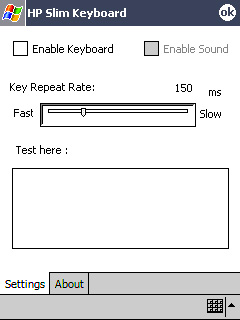
you can enable and disable the keyboard using the HP Slim Keyboard
program (right). Once you launch the software you can change
the repeat speed, enable or disable keystroke sound, and test
the response of the keyboard.
The
keyboard (left) as you can see is set in a QWERTY layout
with numbers embedded on the top row. It also has all four directional
arrows, SHIFT, CTRL, Return, Backspace, and the four hardware
buttons available with a single button press. You use the (Fn)
key to get the numbers, special characters, NumLock, Tab, Delete,
and Escape. Users should note it will take some time to learn
where all these special keys are. Another area in which I thought
was nice was the fact that HP continued to place the calendar,
contact, inbox and itask buttons in the same place as the iPAQ.
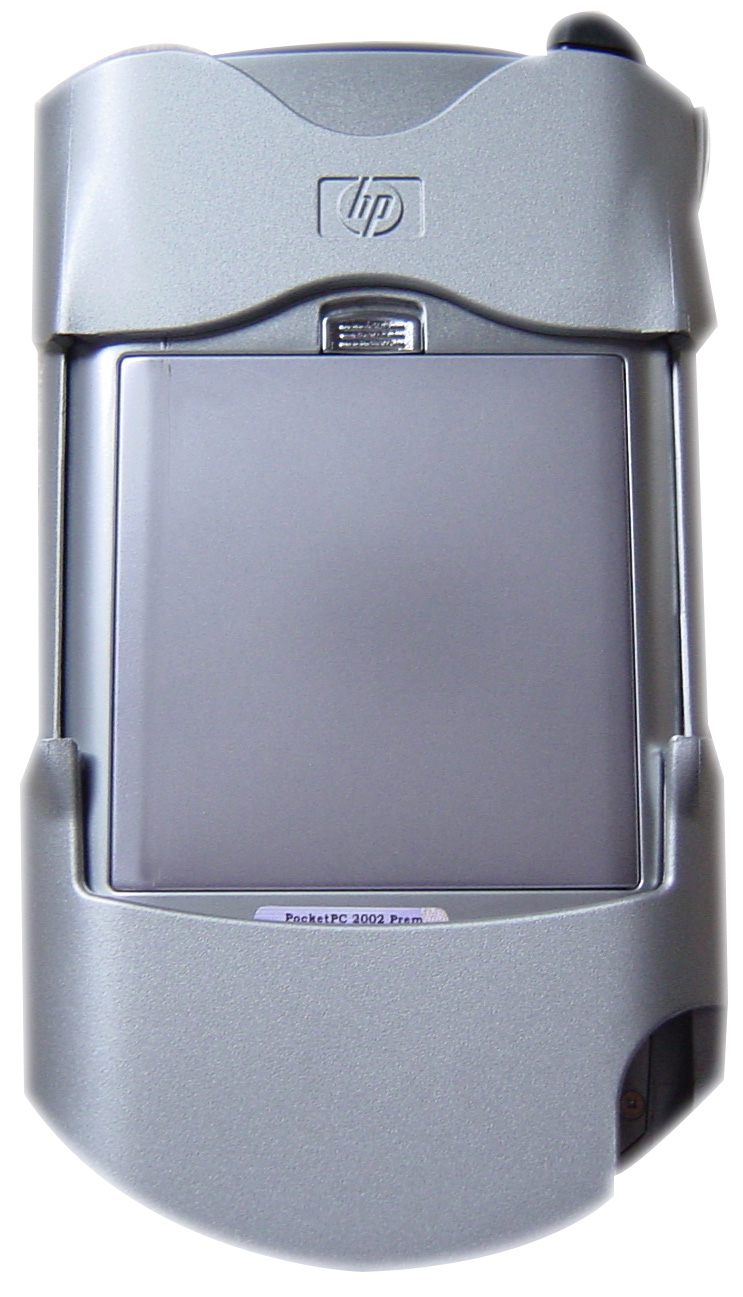
As
you look over to the back (right) of the sleeve you will
notice the embossed HP logo and the crafty ,"Silver Sliderish"
look and feel. As I stated above I think George did some side
consulting with HP on the design of this keyboard. You will also
notice you can open the battery compartment to load or unload
a battery. I thought this was a good move and apparently HP listens
to the community.
Also note the
battery life time didn't change at all! Since it uses the serial
port to operate, when it's enabled, it may interfere with the
operation of another serial device connected to it's pass-through
connector. So, it's probably not a good idea to try to use it
with any serial devices. I was able to test it with the iPAQ keyboard
as well as the Stowaway XT Keyboard by Think Outside.
Overall I have to say HP created
a well made durable slim keyboard. With the stylish cuts around
the sleeve to the Blackberry style keyboard layout I was impressed.
The two areas I was not too impressed with was that at times the
iPAQ was not lining up to slide into the card? I wasn't sure if
it was something flawed in the manufacturing process or just something
I was doing wrong. Secondly I wish HP had been able to do was
to allow the Slim Keyboard to be used with expansion sleeves.
I guess the design would have to be restructured but if you live
off the expansion pack theory then the keyboard needs to support
the expansion packs. With that being said, if you are a type-aholic
and are looking for a slim keyboard that is reliable and durable
be sure to pickup the HP Slim Keyboard, you wont be disappointed.